Product update
Subsidised staff coffee, run from one QR code
Plenty of companies want to give their team a coffee perk — but doing it with paper vouchers, a corporate account at every cafe, or a monthly reconciliation spreadsheet is more hassle than it's worth. Corporate perk mode turns a Brewstamp shop into an employer-subsidised coffee benefit: staff scan a QR code at the counter, enter their work email, and walk away with a free coffee — capped per person, per day, with a clean report the company can reimburse against.
Published
The short version
Flip a shop into perk modein settings. Restrict it to your company's email domain. Set a daily free-coffee limit per person. Staff scan the QR, enter their work email, and collect — no stamps, no app, no account. Per-person redemption reports make reimbursement simple. Perk mode is included on the Plus and Max plans.
Every scan is a free coffee, not a stamp
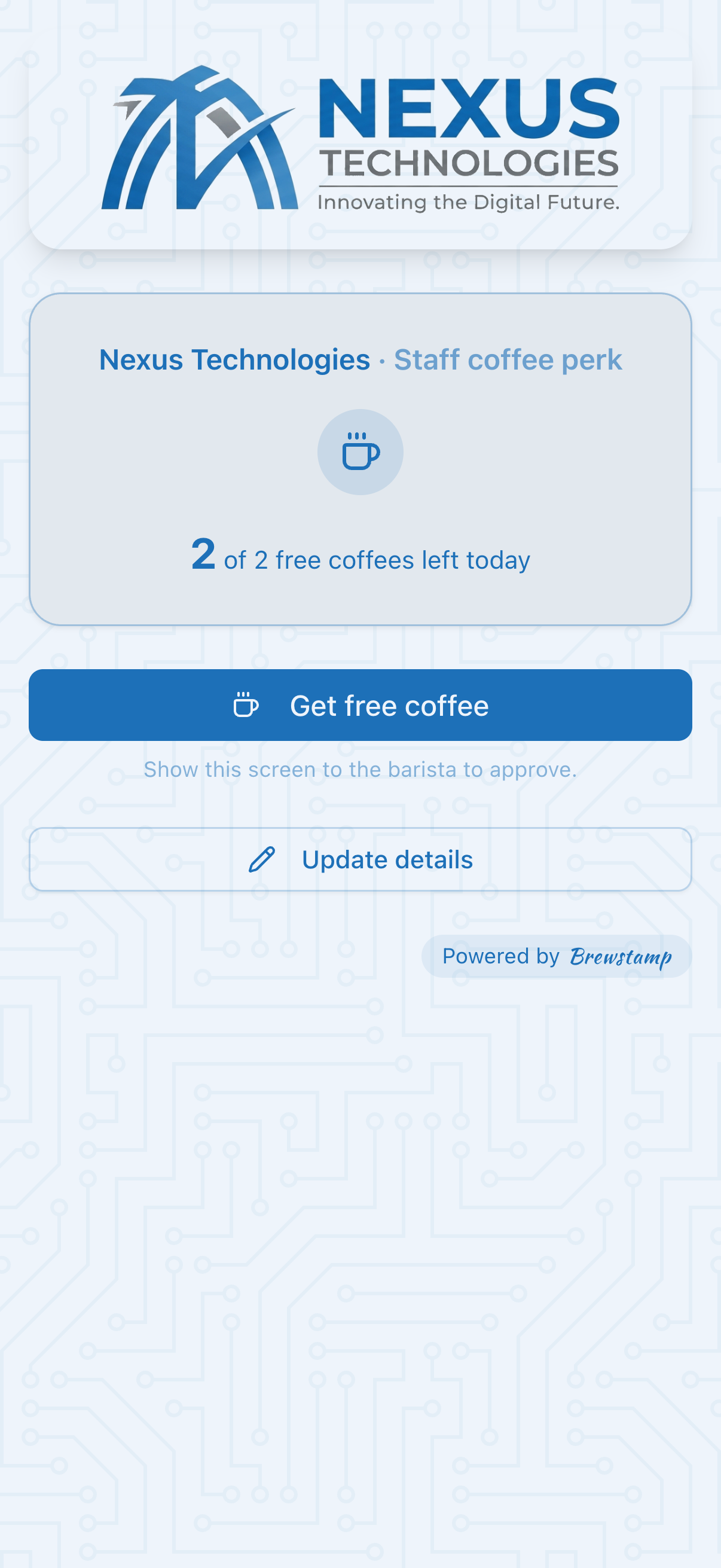
A normal Brewstamp loyalty card has customers collect stamps toward a reward. Perk mode is different: there are no stamps to count. Each approved scan is simply one free coffee, drawn from the perk the employer is paying for. It's the office coffee benefit, run from the same QR code and the same approve-from-your-phone flow your baristas already know.
For the staff member it couldn't be simpler — scan, enter their work email the first time, and the barista taps approve. No app to install, no loyalty account to create, nothing to carry.
Locked to your team
The perk is gated to the company's email domain. Only someone with a matching work email can redeem — a random passer-by can't claim a subsidised coffee. There's nothing to provision in advance: anyone on the team can start using it on day one, and people who leave simply lose access when their email stops working.
A fair daily cap
Set how many free coffees each person gets per day — most companies pick one or two. The cap is counted by work email, not device, so nobody can reset their allowance by switching to a second phone or browser. It rolls over at midnight in your cafe's timezone, so the perk is predictable and the spend stays controlled.
Reimbursement-ready reporting
The dashboard tracks free coffees redeemed per person, so when it's time to invoice the company you've got the numbers to back it up. Export the list as a CSV and the employer can reconcile it line by line — who redeemed, how many, over what period. No counting cups, no guesswork.
Who it's for
For an employer, it's an easy, genuinely loved perk — a real coffee from a real local cafe, not a vending machine or a voucher code that expires. For the cafe, it's a standing corporate account: a nearby office or co-working space sends its whole team your way, every working day, on a tab the company is happy to pay.
Setting it up
- 1. Create a shop for the perk (keep it separate from any normal stamp-card shop), and turn on perk mode in settings.
- 2.Add the company's email domain so only their staff can redeem.
- 3. Set the daily free-coffee limit per person and confirm your timezone.
- 4.Print or display the QR code at the counter — that's it. Staff scan, enter their work email, you approve.
Perk mode is on the Plus and Max plans. See the full comparison →
FAQ
Do staff need an app or an account?+
No. They scan the QR code at the counter, enter their work email the first time, and the barista approves. Nothing to install, no loyalty account to create.
How is the company billed?+
Brewstamp tracks how many free coffees each person redeemed and lets you export it as a CSV. The cafe and company agree their own terms — the report gives you the exact figures to invoice and reconcile against.
Can someone get extra free coffees with a second phone?+
No. The daily cap is counted by work email, not by device or browser cookie, so the same person can't double up by switching phones.
Can I run a normal stamp card and a perk in the same shop?+
They're separate modes — run the perk in its own dedicated shop. If you switch an existing stamp-card shop into perk mode, its stamp history no longer applies, so we recommend creating a new shop for the perk instead.
Which plans include perk mode?+
Plus and Max. You can set it up the same day you upgrade.