Step 1 · Customise your brand
Make the card look like you, not us
Drop in your logo, pick your colours and a background pattern, and set the reward — buy eight, get one free, whatever suits your shop. Customers see a card that’s unmistakably yours.
- Your logo, colours, and background pattern
- Set your own reward (e.g. buy 8, get one free)
- Speaks 14 customer languages, including Arabic
For a coffee shop
The Rusty Mug · Loyalty Card
4 of 8 stamps
4 to go
Sam, 4 more for a free one!
11 stamps earned · 1 rewards redeemed
Step 2 · Print your QR code
Place your QR code on the counter
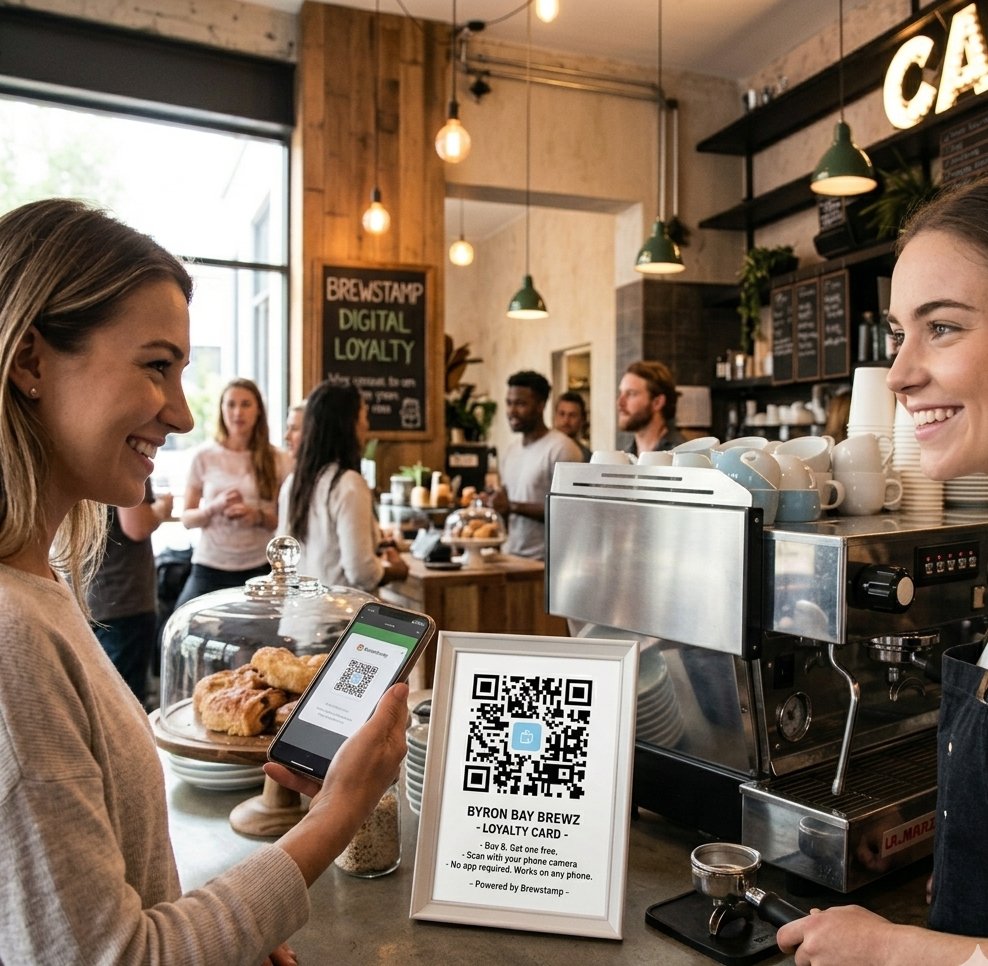
Print your QR poster from the dashboard and stand it where customers order their drink. They scan it with their phone camera and their card opens in the browser — no app store, no sign-up, nothing to carry.
- Print it as a counter card, A4, or window decal
- Customers scan with the native phone camera
- Nothing for them to download or install
Step 3 · Approve stamps
You approve, right from your phone
Keep your dashboard open on a phone or tablet at the counter. Every scan pops up as a request — tap approve and the stamp lands on their card in real time. Nothing gets stamped without you, so it can’t be gamed.
- Works on any phone, tablet, or laptop
- Real-time approval — no auto-stamping to fake
- See who's one coffee away from a free one
New stamp request
Sarah · just now
5 of 8 — 3 to a free coffee
Tap approve — the stamp appears on Sarah’s card instantly.
No app to download
Customers scan and the card opens in their browser. No app store, no account.
No hardware
Just a printed QR and your dashboard on any phone, tablet, or laptop.
Free to start
Run a real loyalty card free for your first 50 stamps. No card details.