Product update
One loyalty program, every location, the right people on each
The second shop is where loyalty programs usually get messy: a shared login on the counter iPad, a barista who can see a shop they don't work at, and an afternoon of setup every time you open somewhere new. Here's how Brewstamp handles a group of cafes now.
Published
The short version
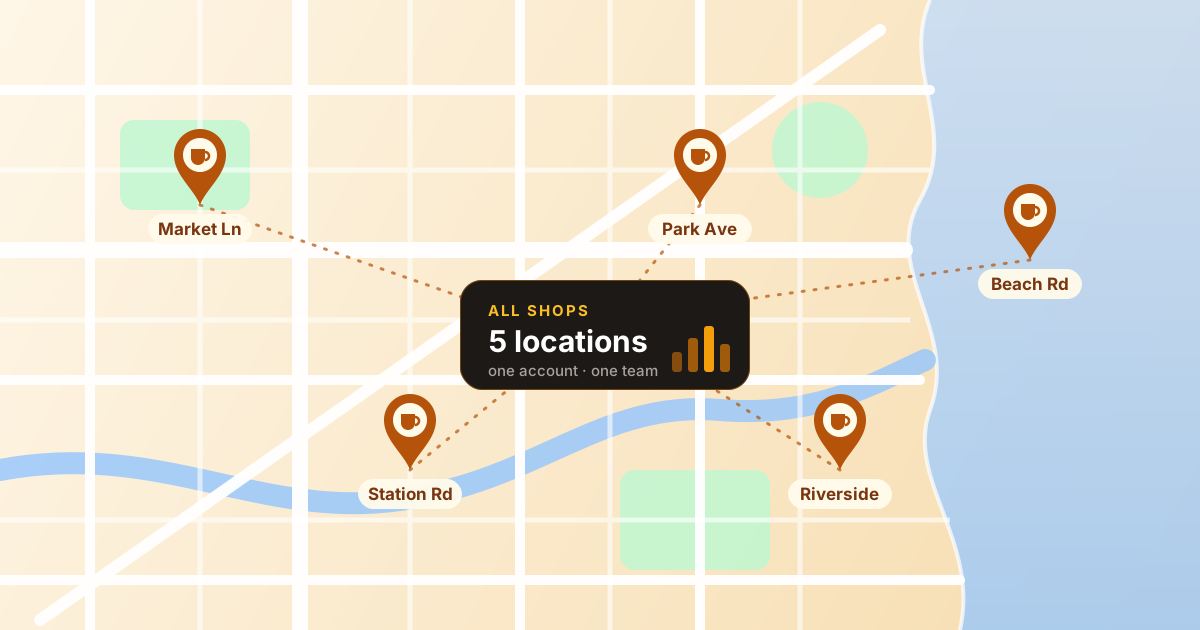
- · Every shop sits under one account and one plan, each with its own card, QR code and customers.
- · An All shops dashboard shows the whole group at once, with a breakdown per location.
- · Each team member gets their own login, on just the shops you choose, or on all of them, including ones you open later.
- · Owners and managers can fix a customer's stamps; staff run the counter. Every change is logged.
Every shop under one account
Add a location from the shop switcher at the top of the dashboard and it's ready the same day. Each shop keeps its own card design, logo, stamp rules, language and QR code, so a beachside kiosk and a city roastery can run different rewards under the same account. Customers who visit more than one of your shops see all their cards together on their phone.
The switcher is searchable, which starts to matter at five or ten locations. And there's one bill: your plan covers every shop you own. Business includes up to three; larger groups go on a Custom plan sized to them. Our biggest group today runs on a plan for 25 shops.
See the whole group at once
Pick All shops in the switcher and the dashboard adds everything up: stamps given, rewards redeemed, customers and new customers, across every location. A table underneath breaks it down per shop, so you can see at a glance which site is growing and which needs a nudge, then click straight into that shop.
The customer list works the same way, with a Shop column so you can see who's loyal where.
Give each person the shops they work at
Invite someone by email from the Team page and choose which shops they can use. A barista who only works the Saturday shift at one location gets that location and nothing else. An area manager who covers the whole group gets All shops, and that includes any shop you open later: they're added to it automatically, with the same role, so there's no re-inviting when you expand.
Owner
Everything, including billing and the plan. Adds shops and decides who gets access to what.
Manager
Runs the shop day to day: shop setup, the team, and fixing a customer's stamps when something goes wrong.
Staff
Approves stamps at the counter and looks up customers. Can't change settings or stamps by hand.
Everyone signs in with their own email, so when someone moves on you remove their access and nothing else changes. No shared password to rotate on the counter tablet.
One team list, filtered your way
The Team page lists everyone across all your shops, including invites that haven't been accepted yet. Filter it by shop to see who works where, or by role to find every manager in the group, and change someone's shops or role in a couple of clicks.
Who can change a customer's stamps
Mistakes happen at a busy counter: a card stamped twice, a reward that should have been given. Owners and managers can add stamps, take them off, or redeem a reward from the customer's page, and each change is recorded in the card's history with who made it and why.
Staff approve scans as normal but can't change a card by hand. With more people on more counters, that one rule does a lot to keep stamps honest.
Setting up a group in 10 minutes
- Set up your first shop and get its card looking right.
- Open the shop switcher and choose Add a new shop for each other location.
- Print each shop's QR code from its own Shop setup page.
- On the Team page, invite managers with All shops and staff with just their shop.
- Check the All shops dashboard at the end of the week.
FAQ
Do customers' stamps carry across my shops?+
Each shop has its own card, so a customer collects at each location separately and sees every card they hold in one place on their phone. That keeps each shop's reward and stamp count its own, which matters when locations run different offers.
Does each extra shop cost more?+
No. One plan covers every shop you own: Business includes up to 3, and a Custom plan covers bigger groups. A shop that's covered by your plan has no billing of its own.
What happens to my team when I open a new shop?+
Anyone you've given All shops access is added to the new shop automatically, with the same role. Everyone else keeps exactly the shops you picked for them.
Can a barista at one shop see another shop's customers?+
Only if you give them access to that shop. Each person sees the shops they're on and nothing else.
Who can add or remove stamps by hand?+
Owners and managers. Staff approve scans at the counter but can't change a card directly, and every manual change is logged with who made it and why.
Running more than one cafe?
Start free with your first shop, or tell us about your group and we'll size a plan for it.