Guide
Coffee shop loyalty card printing: print one QR code, skip the stack of paper cards
Most guides on coffee shop loyalty card printing assume you’ll order a few hundred glossy punch cards and pass them out at the counter. There’s a faster, cheaper way: print one A4 sheet with a QR code and let your customers’ phones do the rest.
Published
The short version
You don’t need to order pre-printed punch cards. With a digital loyalty platform you print one sheet — an A4 with your shop’s QR code — and tape it to the counter. Customers scan, collect stamps in their browser, redeem a free drink when they’re full. No reorders, no lost cards, no fake stamps.
The old way of printing loyalty cards
For decades cafes have done loyalty the same way: order 500 or 1000 small punch cards from a local printer, sit them in a box behind the till, hand one out with each coffee. The printer charges $30 – $80 per batch, and you reorder every few months because customers lose theirs.
That system has three quiet problems:
- Reorder churn. Every reorder is a printing fee, a delivery wait, and a weekend designing the artwork.
- Lost cards. A customer who’s lost their 7-of-8 card silently stops collecting — and you have no way to know.
- No data.You can’t tell how often a regular comes in, who’s about to churn, or which days drive the most stamps.
For a longer take on why paper systems struggle, see Why paper loyalty cards don’t work anymore.
The new way: print one QR poster
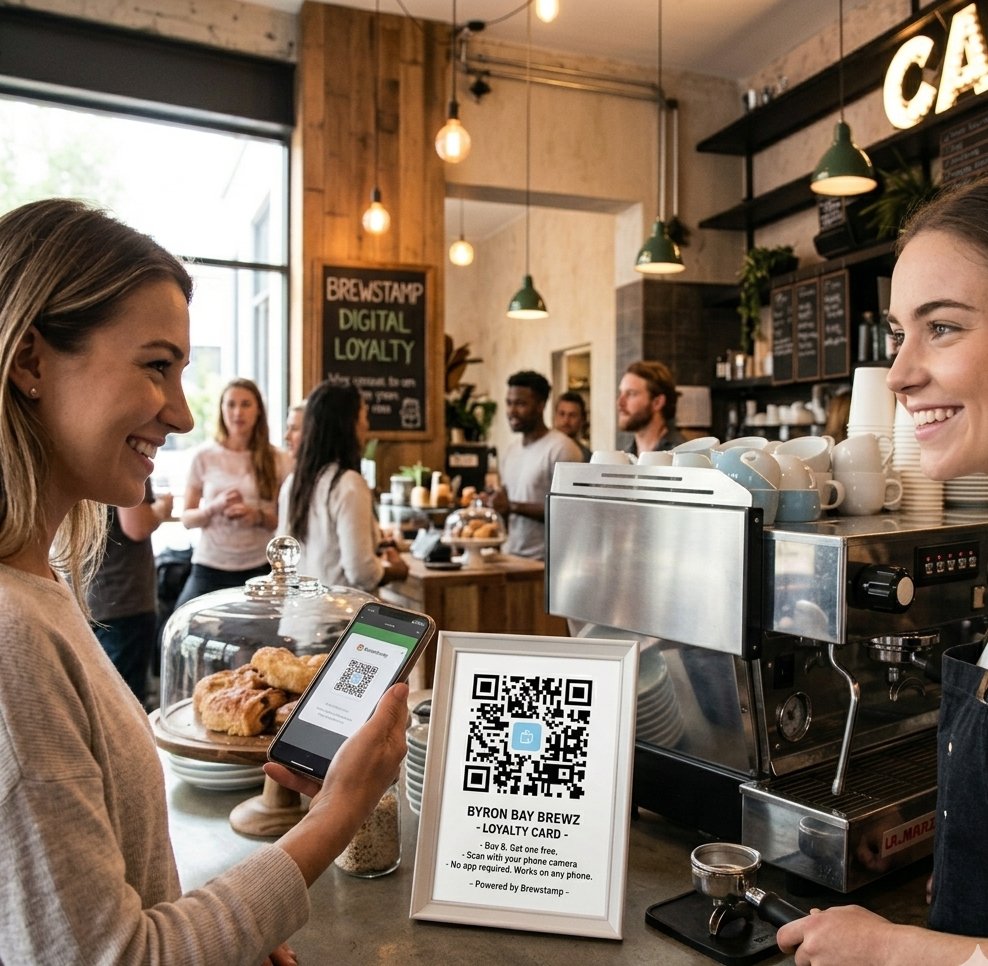
With a digital loyalty system like Brewstamp, the “printing” step takes 90 seconds. You log in, click the QR poster button, and your browser downloads an A4 PDF already styled with your shop name, your logo, and your brand colors. Print it on the office printer. Tape it to the counter. Done.
Customers point their phone camera at the QR. Their stamp card opens in their phone’s browser — no app, no install, no account-creation form. They tap “Request stamp”, you approve from the dashboard, the stamp lands. It’s a full coffee rewards app with nothing to print but that one poster.
How to print your loyalty card QR (step by step)
- 1Sign up for a free Brewstamp account (no credit card). Takes about 30 seconds.
- 2In Shop Setup, set your shop name, upload a logo if you have one, and pick brand colors. The printable PDF picks them up automatically.
- 3Click "Download QR PDF" at the top of Shop Setup. You'll get an A4 (or US Letter) sheet with your QR, the words 'Buy 8, get 1 free' (or whatever your threshold is), and a small Brewstamp credit at the bottom.
- 4Print on any standard printer at default settings — colour if you have it, black-and-white works fine too. Tape, stand, or frame it on the counter.
Where to put the printed sheet
- At the till. The single best spot. Customers see it while their card is being charged.
- On takeaway bags or coffee sleeves. A small printed sticker version of the QR. People scan it on the walk to the office.
- Next to the menu board. Customers waiting in line have something to do.
- In the window. Catches passers-by who haven’t come in yet. Pair it with “Loyal customers get every 8th coffee free.”
Cost: paper punch cards vs. one QR sheet
Paper punch cards
~$50 / 500 cards
Plus reorder every 3–6 months, plus design time, plus the inevitable batch where the printer got the colour wrong.
One QR sheet
~5¢ paper + ink
Lasts until it’s scuffed up — usually months. Reprint for the cost of one A4 sheet. The card itself never “runs out” because customers carry it on their phones.
Frequently asked questions
How do I print a coffee shop loyalty card?+
If you're using a digital system like Brewstamp, you only print one thing — a single A4 sheet with your shop's QR code on it. Download the PDF from your dashboard, send it to any printer, tape it to the counter. Customers scan with their phone and the loyalty card opens in their browser. No stacks of punch cards to order or re-order.
Do I need a special printer for a loyalty card QR code?+
No. Any standard inkjet or laser printer prints the QR code at A4 — the same paper you'd use for an invoice or a menu. Brewstamp's PDF is sized for A4 and US Letter and prints crisply at default settings.
What size should a printed loyalty card QR code be?+
A 5cm × 5cm (2 inches) QR code scans reliably from arm's length. Brewstamp's printable PDF includes a larger version (around 8cm) plus call-out text so customers can see it from across the counter.
How much does it cost to print loyalty cards for a cafe?+
Pre-printed paper punch cards usually run $30-80 per 500 cards, plus reorder costs every few months as customers lose them. A single QR sheet printed in-house costs less than a coffee.
Can I customize the printed loyalty card to match my cafe?+
Yes — on Brewstamp you set your shop name, logo, and brand colors before downloading the PDF. The printed sheet uses those, so the QR poster matches your cafe's look.